For an average amateur mycologist, not much is needed when it comes to measurement software. It’s important that the program can be easily calibrated for our objectives, that it remembers those settings and allows quick switching between them, and it’s certainly helpful if already measured microstructures stay visibly marked on the loaded image. The analysis itself isn’t really essential — as long as we get a universally usable export package of our measurements, we can easily import that later into statistical tools or even a simple spreadsheet.
As a MacOS user, I only know from hearsay that there are several good free options available for these functions on Windows systems, but the situation is much more difficult on Mac. We have been regularly using a microscope since 2018, but since then I have only found less effective or outright poor workarounds for performing measurements. In the best case, the microscope camera software itself can perform the measurements (e.g., ToupView on Windows), but unfortunately the MacOSX version of the program (ToupLite) works so unreliably and awkwardly that beyond trying it out, I have never actually used it. The open-source measurement packages that also run on MacOS, such as ImageJ (the more advanced version Fiji) or QuPath , can measure spores, but they have so many other features that the ergonomic functions expected specifically for spore measurement are nowhere to be found. Moreover, QuPath is huge in size and has a lot of other functions that we would never use if we only needed it for measurements.
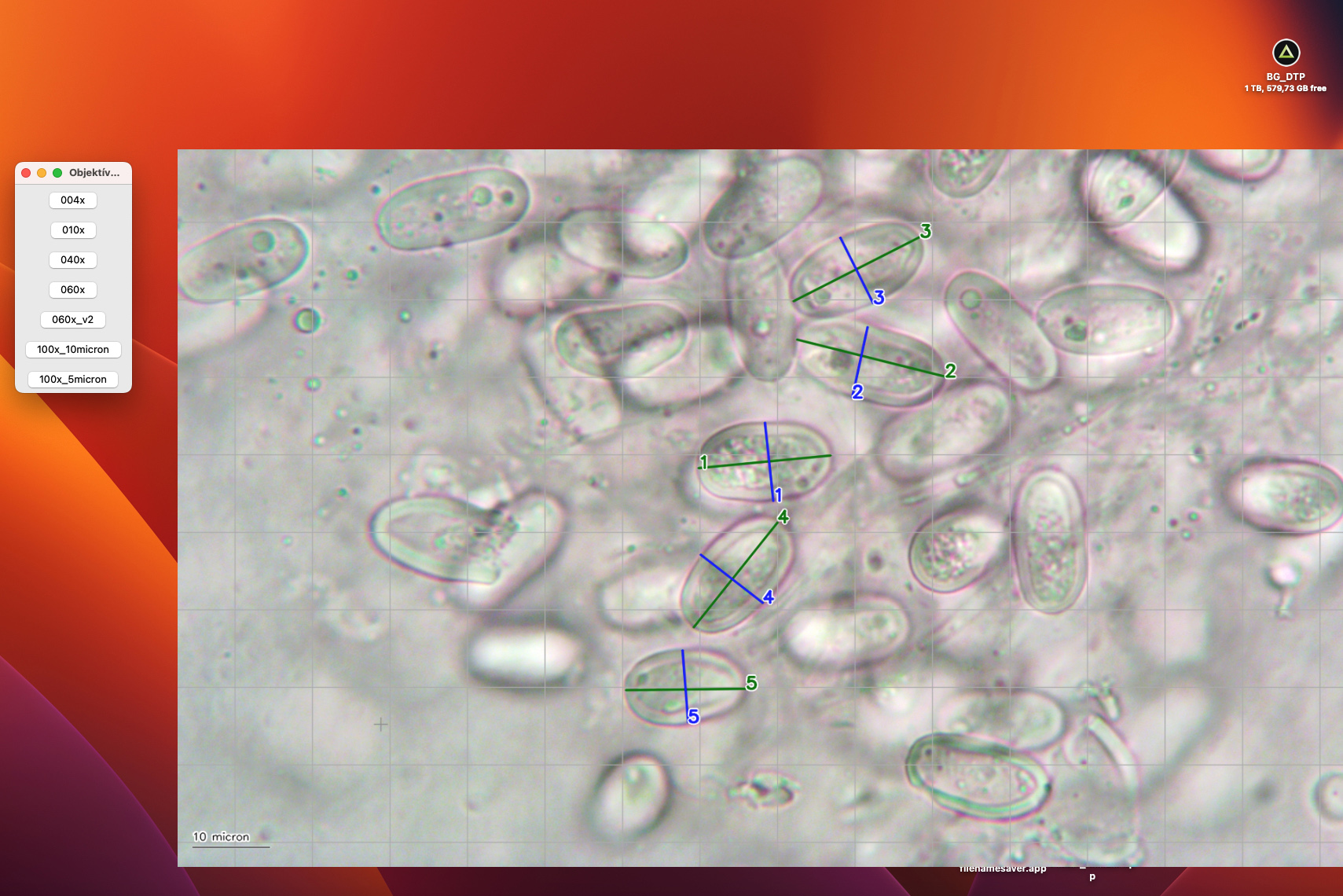
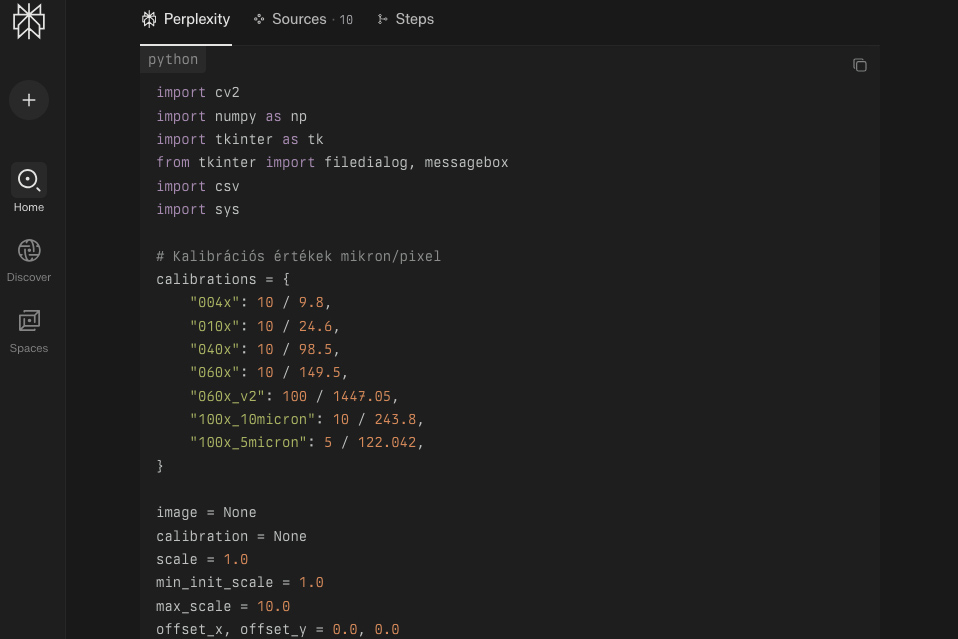
I have thought many times in my head about how simple and minimalist an application would actually be enough for what I would use it for. But the problem is, I don’t know how to program… Finally, the solution came with today’s AI revolution. I called upon the Perplexity AI model to help me create a personalized measurement software. About an hour later, I was already able to test the zero version written in Python according to my needs, and one more day was enough to create a solution that is very comfortable and easy to work with. The software, which I ultimately named Fungimeter, is extremely simple:
1) I select the appropriate pre-saved objective calibration,
2) I load the image I took of spores (or other microstructures),
3) Using a crosshair line drawer, I mark the measurements — by pressing the L key I place numbered markers for lengths, and with W for widths,
4) Meanwhile, I can zoom in and out and move around within the image,
5) By pressing the G key, I request a measurement grid. Pressing once shows a 50-micron grid, twice gives a 20-micron grid, and three times displays a 10-micron grid on the image,
6) With the B key, I can place a 10-micron reference length on the photo,
7) After I have measured enough, pressing the S key saves a summary, which is a CSV (comma separated values) file on my computer,
8) I can then directly upload the file content into the backend system of fungexpo, where a script performs the basic statistical operations.
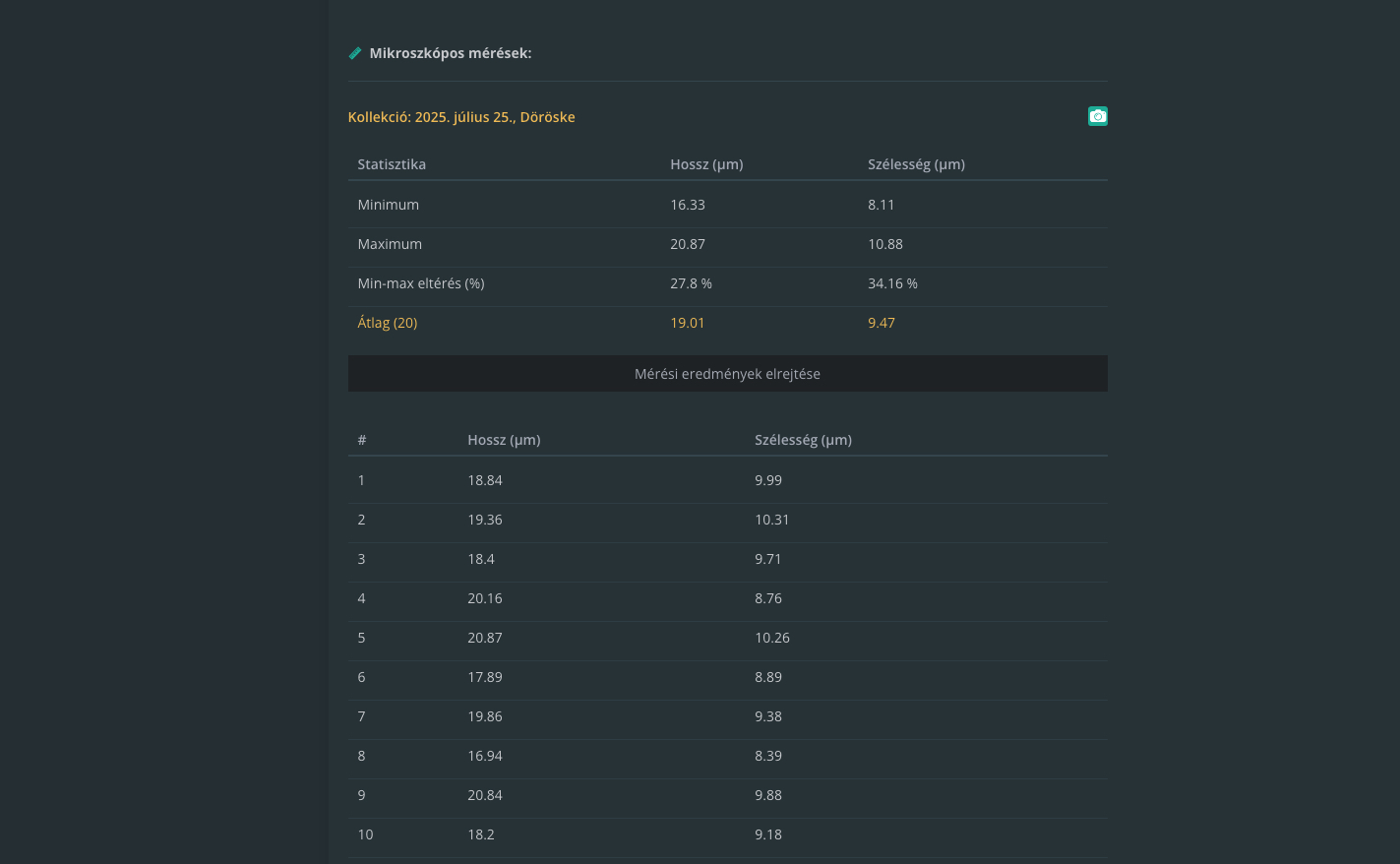
It does only this, nothing more, but the fact is that in the vast majority of cases, I don’t need anything else. I know professional programmers might not be too happy about this, but for my “scale” it’s perfect! If anyone using MacOS is in a similar situation, I’d be happy to help them create their own version tailored to their needs. :)